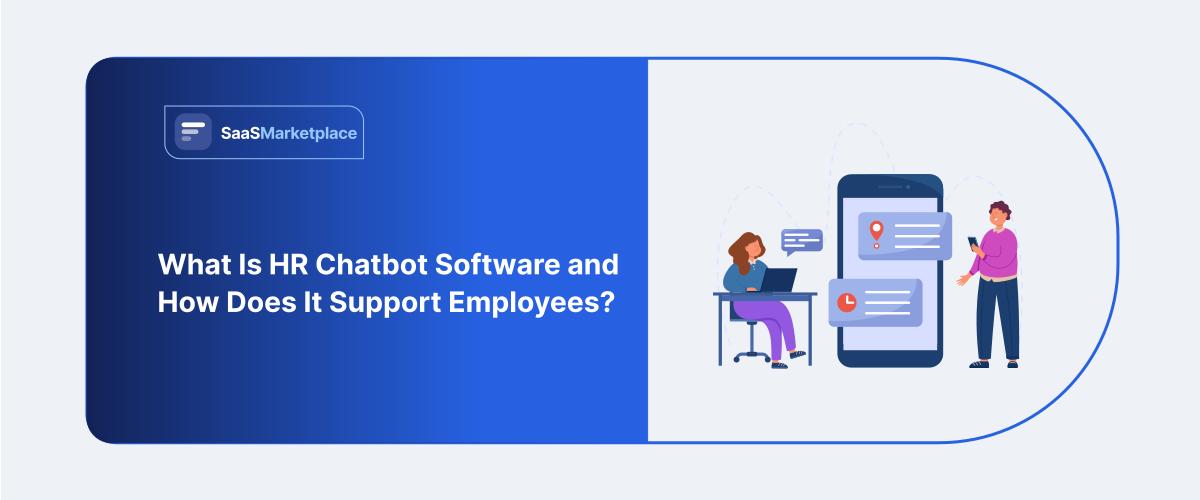
What Is HR Chatbot Software and How Does It Support Employees?
-min.jpg)
Five people running HR for eight hundred employees will spend a surprising amount of their week on the same few questions. How much vacation time is left? When open enrollment kicks off. What's the policy on parental leave? None of these questions need a human's judgment; they need a fast, accurate answer, and most HR teams don't have the bandwidth to give one instantly, every time, at 9 p.m. on a Sunday when someone happens to be filling out a form.
 Looking for HR Chatbot Software? Check out SaaS Marketplace’s List of the Best HR Chatbot Software in the USA for your business.
That gap is exactly where this kind of assistant fits. It's not designed to replace HR staff or handle sensitive conversations; it's designed to absorb the repetitive, answerable questions so people get responses immediately and HR teams get their time back for the things that actually need a person. This article looks at what the software does, how it connects to existing HR software, HRIS software, and HRM software, and where its limits are.
Why Employees Quietly Stop Asking
Plenty of HR leaders eventually notice the same uncomfortable pattern. Employees don't stop having questions. They just stop asking. If the answer takes three days to get through email, or requires hunting through a policy PDF nobody updated properly, people either guess or give up. That leads to mistakes, missed deadlines for benefits enrollment, confusion over PTO balances, and employees not realizing they qualify for a program that would genuinely help them.
Many businesses assume employees will just read the handbook. In practice, almost nobody does. Not because they're careless, but because nobody expects to get an answer out of a forty-page document in 2026. They just want to type a question and get an answer back, the way they would in any other app on their phone.
The Basic Idea Behind the Tool
Underneath it, this is just a conversational layer sitting on top of company policy documents and HR systems. It's trained to answer in plain language, so nobody has to go digging through a portal for the same information.
Answering Routine Policy Questions
The simplest and most common use case: someone asks about PTO balance, sick leave policy, or how to update their direct deposit, and the bot answers by pulling straight from connected HR records instead of forwarding the question to a person.
Handling Multi-Step Requests
Beyond answering questions, better chatbot platforms walk employees through multi-step processes enrolling in benefits, submitting a leave request, updating tax withholding asking one question at a time rather than dumping a form on someone and hoping they fill it out correctly.
Escalating What It Can't Handle
A chatbot that's actually well built knows where its limits are. Harassment complaints, medical accommodations, anything legally sensitive that should go straight to a person, never an automated reply. What actually makes a chatbot valuable is knowing when to step aside, not trying to cover every question itself.
Fitting Into the Existing HR Stack
Standalone deployments are rare for this kind of tool. Most sit on top of an existing HRM or HCM platform and pull live data, so answers stay current instead of drifting out of date.That connection is what actually matters. A chatbot plugged into real employee records can tell someone exactly how many PTO days they have left. Without that link, the best it can do is send someone back to the portal to look it up themselves, which more or less defeats the point. How well a chatbot works in practice depends less on the chatbot and more on how deeply it's tied into the systems underneath.
How Companies Actually Use It
Onboarding support. The first couple weeks on a new job usually come with a flood of small questions where's the offer letter, how benefits enrollment works, who to contact about IT. A chatbot can absorb that volume so a new-hire buddy or manager isn't fielding all of it directly.
Benefits and open enrollment: This period generates a predictable spike in questions every year. Chatbots reduce the load on HR teams significantly during these windows by handling comparison questions and deadline reminders automatically.
Policy lookups: Instead of searching a shared drive for the current version of a policy document, employees ask directly and get pulled straight from the source of truth.
Manager self-service: Some platforms extend chatbot access to managers for questions about approving time off, initiating a promotion, or understanding compensation bands reducing back-and-forth with HR business partners.
Mobile access for distributed teams: Field workers, retail staff, and remote employees who don't sit at a desk all day benefit from an HR employee mobile app with chatbot support built in, since it's often the only HR touchpoint they interact with regularly.
What Businesses Commonly Get Wrong
One issue that often appears during implementation is launching the chatbot with incomplete or outdated policy content behind it. If the underlying documents haven't been reviewed in two years, the chatbot will confidently repeat information that's no longer accurate which is worse than no chatbot at all, because employees trust the answer without double-checking it.
Skipping the step of setting expectations is another common mistake. Someone who tries to file a formal complaint through the bot and gets a generic, unhelpful reply back tends to leave with a worse opinion of HR than they would have had without the chatbot at allThe tool needs clear boundaries, communicated up front.
Teams usually discover a third issue after a few months: adoption depends heavily on where the chatbot lives. A bot buried inside a rarely used internal portal gets ignored. One embedded in Slack, Teams, or an employee mobile app people already check daily gets used constantly. Access point matters as much as the technology itself.
Enterprise vs. Smaller Deployments
Enterprise HR software platforms tend to offer chatbots with deeper integrations multi-language support, region-specific policy variations, and connections across dozens of HR systems at once. That complexity is necessary when a company operates across states or countries with different labor rules.
Online HR software aimed at smaller businesses usually bundles a lighter chatbot focused on a narrower set of frequently asked questions. For a fifty-person company, this is often plenty the questions are less varied, and there's usually still a person available who knows most of the answers anyway.
The mistake smaller companies sometimes make is buying enterprise-grade chatbot capability they'll never fully use, paying for complexity that a simpler online HR software plan would have handled just fine.
Privacy and Trust Considerations
Employees share sensitive information through these tools: medical leave questions, financial details for benefits, sometimes personal circumstances tied to a leave request. Any tool like this should be evaluated on how it handles data privacy, not just how well it answers questions.
It's worth asking vendors directly: where is conversation data stored, who can access transcripts, and is anything used to train external models? These aren't edge-case concerns; they're the difference between employees trusting the tool and employees quietly avoiding it because they're not sure who's reading their questions.
Best Practices for a Smooth Implementation
The technology part is easy to buy. Getting employees to actually trust and use it takes a lot more deliberate planning, and that's usually where rollouts quietly fall short.
Audit the content before launch. Every policy document feeding the bot needs to be current and reviewed by someone who actually understands the policy, not just uploaded straight from a shared drive. Whatever it's trained on is the ceiling for how good the chatbot can be.
Begin narrow and widen the scope over time. Try to cover every HR topic on day one, and you usually end up with a tool that gives shallow, occasionally wrong answers spread across too many areas. It tends to work better to launch with a small set of topics the team can support well PTO, basic benefits, onboarding and add more once people trust it.
Keep the handoff to a human smooth. When someone gets stuck or asks about something the bot doesn't cover, getting to a real person should feel quick, not like being caught in a loop. A bot that just repeats itself instead of admitting defeat is about the fastest way to lose people's trust in it.
Watch usage patterns after launch. After the first few months, most companies notice a handful of question types account for the vast majority of interactions. That data is useful it tells HR exactly where documentation is unclear or where a process needs to be simplified, not just where the bot needs tuning.
Communicate what it's for. A short internal announcement explaining what the tool handles and what it doesn't sets expectations before anyone tries it. People who go in already knowing what the tool covers tend to have a noticeably better first experience than the ones who stumble onto it with no context.
Measuring Whether It's Actually Working
It's worth tracking a few concrete signals rather than assuming the tool is helping just because it's live.Ticket volume to HR for routine questions is the clearest one if that number isn't dropping within a few months, something in the rollout needs adjusting, whether that's content quality, visibility, or trust.
Employee feedback matters just as much as usage numbers. A chatbot that gets a lot of traffic but generates frustrated follow-up emails to HR isn't actually solving the problem it's just adding a confusing extra step before someone reaches a person. Short, occasional surveys whether the bot resolved the question tend to surface this faster than ticket data alone.
When It's Better to Wait on a Chatbot
A chatbot built on messy, outdated HR records doesn't fix anything it just gets bad answers out faster. Some companies would be better off fixing their records and policy documentation first, and adding conversational support once that foundation is actually solid.
For smaller teams fielding only a trickle of repetitive questions, the investment might not be worth it yet either. If HR is fielding only a handful of policy questions a week, a tidy internal wiki can do the same job for a fraction of the price.
Conclusion
HR chatbot software works best as a filter, not a replacement catching the routine questions instantly so people get answers immediately, while HR staff spend their time on situations that genuinely need judgment and care. Connected properly to HR software, HRIS software, and HRM software underneath it, it turns a slow email thread into a two-second answer. The companies that get the most value treat it as an extension of their HR team's knowledge, not a way to avoid staffing one.
FAQ's
No. It handles routine, repeatable questions well but should always escalate sensitive or complex issues to a person.
Most platforms integrate directly with HRIS software and HRM software to pull live employee data rather than relying on static content.
Often, a lighter version built into online HR software is enough. Standalone enterprise-grade chatbots make more sense once question volume and complexity grow.
Accuracy depends heavily on how current the connected policy documents and HR systems are. Outdated source content leads directly to outdated answers.
Ideally somewhere they already check daily Slack, Teams, or an HR employee mobile app rather than a portal they rarely log into.