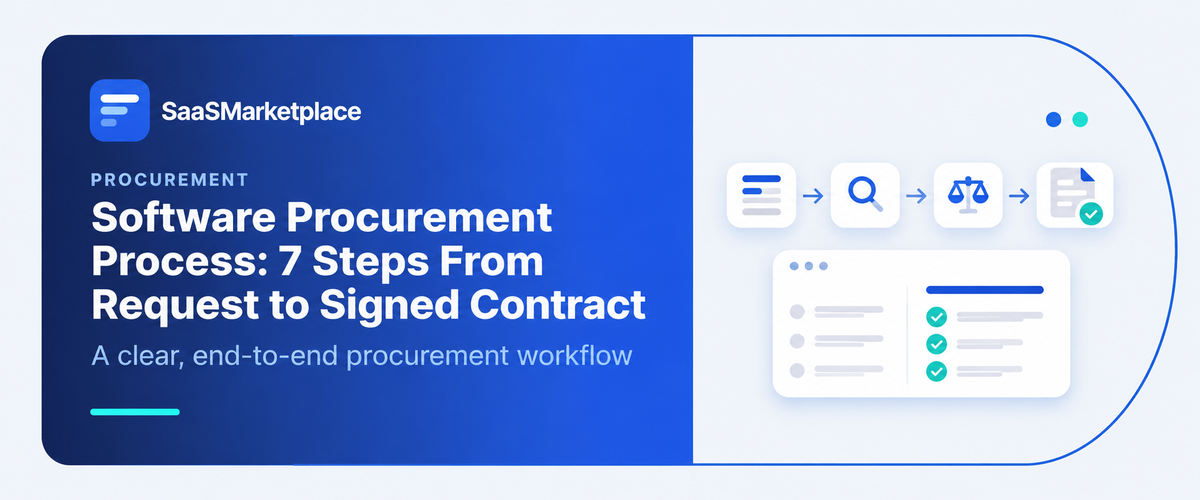
Software Procurement Process: 7 Steps From Request to Signed Contract
-min.jpg)
A department head asks for new software on Monday. By Friday, three vendors have sent proposals, someone has started a free trial on a company card, and finance has no record of any of it. That sequence is how most unplanned software spending begins. A clear software procurement process gives every request a defined path from first idea to signed contract, with the right people reviewing it at the right time and in the right order. This guide covers seven steps that US finance, IT, and operations teams can adapt to their own organizations. It also explains how the steps change for higher-risk purchases such as ERP software and accounting software, where a poor decision is slow, costly, and disruptive to undo.
What the Software Procurement Process Covers
Software procurement is the work that turns a business need into a governed agreement with a vendor. It begins before anyone contacts a salesperson and ends only after the contract is filed, an owner is named, and the renewal date is on a calendar.
Many companies treat it as a purchasing chore. It works better as a short cross-functional project involving the requester, IT, information security, finance, and legal. Smaller businesses may combine several of those roles in two or three people, but the questions each role asks still need answers.
US buyers also face considerations that vendors rarely volunteer: state-by-state tax treatment of subscriptions, state privacy laws, customer security questionnaires, and auto-renewal clauses that can lock in another year of fees.
Step 1: Document the Business Request
Every purchase should start with a written request that describes a problem rather than a product. "We need Vendor X" tells reviewers nothing. "Our project managers lose track of change orders, and disputes reach the owner before we catch them" gives everyone something to evaluate.
A useful request records the problem, the teams affected, the cost of leaving it unsolved, and a rough budget range. Consider a regional contractor whose superintendents track submittals and daily reports in email. The request might point toward construction management software, but it should first describe the missed deadlines and rework that justify spending money.
This step also gives finance an early view of upcoming commitments, which makes budget planning less reactive.
Step 2: Define Requirements and Budget
Requirements turn the request into criteria that vendors can be measured against. Separate must-haves from preferences, and be honest about the difference. A must-have is something the tool cannot be used without, such as single sign-on, an integration with your general ledger, or role-based permissions.
Scope matters more than most teams expect. A marketing group that needs task boards, timelines, and workload views may be well served by project management software at a modest per-user price. An engineering organization tracking sprints, incidents, and releases is looking at a different product class, and IT project management software with ticketing and development-tool integrations will fit it better.
Record the number of users, the data that will move into the system, the systems it must connect to, and who will administer it after launch. Set a budget that covers more than subscription fees. Implementation help, data migration, training, and integration work frequently cost as much as the first year of licenses.
Step 3: Build a Focused Vendor Shortlist
Aim for three to five vendors. A longer list creates demo fatigue and rarely improves the decision. Good sources include peers in similar industries, existing vendors who may already offer a module, analyst coverage, and verified customer reviews on software directories.
Screen quickly against the must-haves. Deployment model, supported integrations, and company size can eliminate options before anyone books a call. A buyer evaluating business intelligence software, for example, should confirm which data warehouses and file sources a tool connects to before comparing dashboards, because a missing connector is a structural problem rather than a feature gap.
Check vendor stability as well. Ask how long the company has operated, who its customers are, and whether it is venture-funded or profitable. A product you depend on for five years needs a vendor likely to exist that long.
Step 4: Issue an RFP and Run Scripted Demos
For purchases of meaningful size, send shortlisted vendors a request for proposal built from your requirements. Ask for pricing in a standard format, implementation timelines, support terms, and written answers on security. Identical questions make responses comparable.
Demos deserve the same discipline. Give each vendor three or four real scenarios and ask them to work through those scenarios live, ideally with a sample of your own data. Polished sales environments hide friction. ERP demonstrations, in particular, tend to feature a clean fictional company, so ask how the system handles your approval chains, multi-entity structure, or inventory methods.
Bring the people who will use the product daily. Their reactions to the interface and workflow often reveal adoption risks that a steering committee would miss. Score each vendor against the same weighted rubric right after the demo, before memory fades.
Reference calls help here too. Ask for customers of similar size and industry, and ask what the rollout actually involved, how support responded to problems, and what they would negotiate differently.
Step 5: Review Security, Compliance, and Total Cost
Security review should not wait until the contract is nearly done. Request the vendor's current SOC 2 Type II report where one exists, along with details on encryption, access controls, breach notification timelines, and subprocessors. Customer data sits on someone else's infrastructure, so you are evaluating the vendor's controls as much as its product. Ask security questions in writing and keep the responses, since key statements can later be made part of the contract.
Regulatory context shapes the review. Accounting software that supports financial reporting for a public company, for instance, should be assessed for audit trails, segregation of duties, and change logging, since those features support internal controls. Healthcare, education, and government-adjacent buyers face their own requirements, and legal counsel should confirm which apply.
Then calculate total cost of ownership over three to five years. Include licenses, implementation, integrations, training, premium support tiers, usage overages, and internal staff time. Ask what renewal increases are permitted. A low first-year price attached to a steep renewal uplift is common, and it only shows up when someone models the later years.
Step 6: Negotiate the Contract
Most buyers negotiate price and stop there. Price matters, but the terms around it often carry more risk. Review the renewal clause first. Automatic renewals commonly require notice 30 to 90 days before the term ends, and missing that window means paying for another year. Ask for a cap on annual increases, written into the agreement rather than promised in an email.
Other points deserve attention: service-level commitments with real remedies, data ownership, the right to export your data in a usable format at termination, limits on liability, and a data processing addendum where personal information is involved. Confirm what happens if the vendor is acquired or discontinues the product.
Multi-year commitments usually earn discounts, but they reduce flexibility. A common compromise is a one-year initial term with pricing locked for later years. Smaller companies can still negotiate; vendors expect it, and quarter-end timing often helps. Involve legal early so redlines do not stall the schedule.
Step 7: Approve, Sign, and Hand Off
Before signature, confirm the purchase has gone through the correct approvals. Most organizations use a threshold matrix: a manager can approve small subscriptions, while larger commitments need finance, IT, or executive sign-off. Keep the signed contract, order form, security documents, and scoring sheets together in a central repository.
Signing is not the finish line. Name a business owner for the product, add the renewal date and notice deadline to a shared calendar, and agree on success measures before kickoff. A team rolling out IT project management software, for example, might track reduced ticket backlog or fewer missed release dates after the first quarter.
Hand off to implementation with the requirements document attached. The people configuring the system should know what the evaluation team promised the business.
Common Mistakes That Derail Software Purchases
Buying from the demo is the most frequent error. Teams fall for a polished interface and skip reference calls with customers of similar size and industry.
Another is underestimating change management. Even the best project management software fails when teams keep running work in spreadsheets because nobody retrained them. A contractor that buys construction management software but never changes how field crews submit daily reports will see little benefit. Adoption planning belongs in the procurement plan, not after it.
Shadow purchasing is the third problem. Employees buy tools on corporate cards, creating security gaps and duplicate spending. A simple intake form and a fast review path reduce this more effectively than prohibition. Finally, many teams forget renewals entirely. A business intelligence software contract that renews unnoticed with unused seats is wasted budget.
When a Lighter Process Is Enough
Not every purchase needs seven formal steps. A $15-per-month tool used by one person rarely justifies an RFP or a legal review. Many companies set tiers: low-spend, low-risk purchases follow a short checklist, mid-range purchases add security review, and large or sensitive purchases go through the full sequence. The tiers should reflect annual cost, data sensitivity, and how hard it would be to switch away later. Without tiers, teams either bury small requests in paperwork or let large ones slip through informally. Both outcomes erode trust in the process.
How the Process Changes by Software Category
The seven steps stay the same, but emphasis shifts with the product. This table shows where reviewers usually spend extra time.
|
Category |
Main stakeholders |
Extra scrutiny |
|
Project management software |
Team leads, PMO |
Adoption, integrations, per-user pricing |
|
IT project management software |
IT, engineering, security |
Ticketing and DevOps integrations, access controls |
|
ERP software |
Finance, operations, executives |
Implementation cost, data migration, customization |
|
Accounting software |
Controller, CFO, auditors |
Audit trails, tax handling, reporting accuracy |
|
Construction management software |
Project managers, field teams |
Mobile and offline use, job costing, change orders |
|
Business intelligence software |
Analysts, data teams, leadership |
Data connectors, governance, refresh performance |

Pro-tip
Ask every finalist for the actual order form and renewal terms before the final demo. Seeing real numbers early prevents surprises and gives you leverage while competing vendors are still in play.
Conclusion
A dependable software procurement process is less about bureaucracy than about asking the right questions in the right order: what problem needs solving, what the product must do, what it will really cost, and how you can exit if it fails. Teams that document those answers make faster decisions and negotiate from a stronger position. Start with a one-page intake form and a simple scoring rubric, then refine both after your next purchase.
FAQ's
It depends on cost and risk. A low-cost team tool may take a couple of weeks, while a large finance or operations platform often takes several months once security review, negotiation, and approvals are included.
At minimum, the requester, IT, security, finance, and legal. Procurement staff coordinate where they exist. In smaller companies, an operations or finance lead often fills that role.
No. For small or low-risk purchases, a structured comparison of two or three vendors is enough. RFPs make sense for large budgets, regulated data, or when company policy requires competitive bidding.
Implementation and internal staff time are frequently underestimated, along with renewal increases. Model at least three years of spending before signing.
Renewal and termination terms, price protections, service levels, data ownership and export rights, security obligations, liability limits, and a data processing addendum when personal data is involved. Have counsel review it before signing.