What Is Retail POS Software and How Does It Differ From Restaurant POS?
-min.jpg)
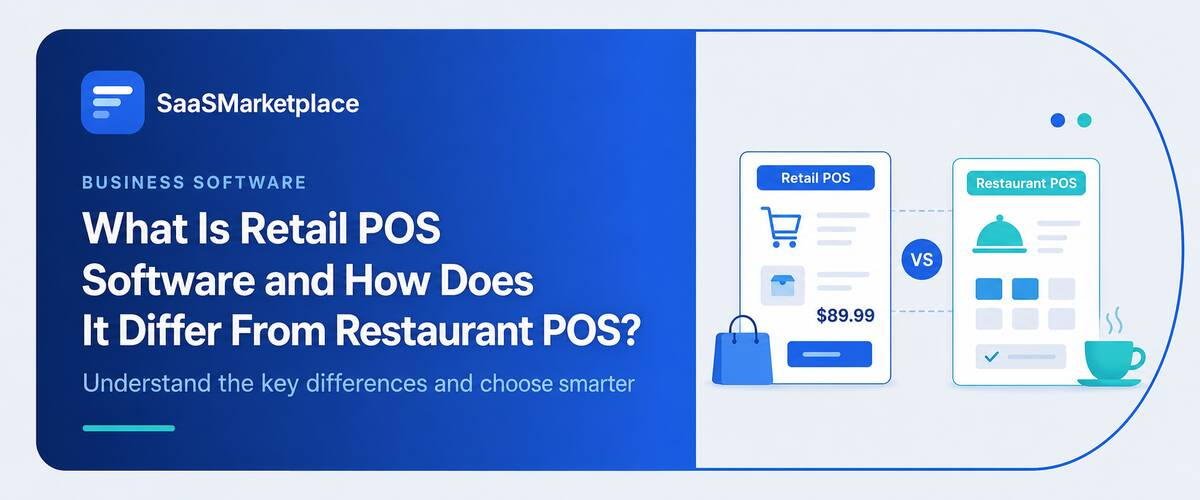
Ask a store owner and a restaurant manager how their point-of-sale system works, and you'll get two completely different answers. Retail POS software tracks SKUs, manages stock across locations, and gets people through checkout fast that's the whole job. A restaurant's version cares about something else entirely: table turns, kitchen tickets, split checks. Same receipt printer, same cash drawer, totally different software underneath.
 Looking for Retail POS Software? Check out SaaS Marketplace’s List of the Best Retail POS Software in the USA for your business.
Try to borrow one for the other's job and the gap shows up almost immediately. A grocery store chain and a quick-service restaurant may be able to shop at the same supplier and have completely different systems, leaving the restaurant to suffer an expensive and frustrating transition after a year. Being aware of this could save a business both time and money.
Key Takeaways
A few things worth knowing upfront:
- Retail systems are built for inventory and speed at checkout. The restaurant side of the business runs on a different clock entirely: tables, tickets, timing.
- POS billing software covers the money part of a transaction: tax, discounts, split tenders. It's not a stand-in for inventory tracking or a real accounting setup.
- Small and mid-sized retailers have mostly moved to iPad POS software. Cheaper hardware and faster onboarding are really the whole appeal.
- Grocery is its own category. Weight-based pricing, high-volume scanning, and loyalty programs most boutiques will never need.
- None of this saves real bookkeeping time until POS and accounting software are actually talking to each other.
What Retail POS Software Actually Does
At its core, retail POS software is inventory management dressed up as a checkout screen. Every sale has to update stock counts. Every return has to reverse them. And every location needs to show the same numbers, whether that's one boutique or fifty stores spread across three states.
Most platforms do more than ring up items these days. Customer profiles, loyalty program points, gift cards, employee permissions, and multi-store reporting are typically consolidated in one dashboard. A small clothing boutique and a regional hardware chain could use the same POS software but optimized for different needs. The hardware store may require more extensive inventory management features and supplier relations tools, while the boutique may need more options for size and color variations.
Here's a mistake worth avoiding: treating this software like a slightly fancier cash register. The register part is honestly the smallest piece of what it does. The real payoff shows up in the reporting what's selling on which days, which locations are sitting on too much stock, and which employees are hitting their numbers this month versus last.
Retail POS Software vs. Restaurant POS Software
|
Feature / Dimension |
Retail POS Software |
Restaurant POS Software |
|
Core Product |
Discrete, finished items sitting on a shelf, waiting to be bought |
A prepared experience, created after the customer orders |
|
Transaction Flow |
Single event: scan, pay, done |
Multi-step timing problem: order taking, ticket routing, meal prep, post-meal payment |
|
Key Operational Features |
Rapid barcode checkout, multi-location SKU tracking |
Kitchen ticket routing, order wait-time tracking, splitting checks six ways, shift tip management |
|
Ingredients & Costing |
Not usually tracked at this level |
Raw ingredients and recipe yields (e.g., how many burgers one case of patties should produce) |
|
Hybrid Needs |
Rarely needs restaurant-style ticket routing |
Cafés and quick-service spots often need a lighter mix: fast counter checkout for packaged goods, plus kitchen ticket routing |
|
Risk of the Wrong Choice |
Missing inventory and SKU controls while paying for table and kitchen features nobody uses |
Missing recipe and kitchen tracking while paying for barcode and shelf-inventory tools that go unused |
Where POS Billing Software Fits In
POS billing software is the piece that handles the money side of a transaction tax calculation, discounts, split tenders, refunds, and receipt generation. It's easy to assume this is the whole system, since it's the part customers actually see at checkout.
In practice, billing is one layer inside a larger platform. Good POS billing software applies the correct sales tax rate automatically based on location, which matters a lot in the U.S. given how much tax rates vary by state and even by county. It also needs to manage partial refunds, layaway, and split payments between cash and card without creating a reconciliation headache later on.
Retailers running multiple locations run into trouble when billing rules aren't centralized. One store manually overrides a discount code; another enforces it correctly. The totals don't match at month-end, and nobody notices until they're already off.
iPad POS Software and Why Retailers Are Switching
A traditional POS terminal used to mean a bulky, proprietary box bolted to the counter expensive, clunky, hard to replace. iPad POS software threw that model out. A tablet costs a fraction of dedicated hardware, updates the same way any other app does, and lets a store owner check someone out from anywhere on the floor instead of chaining every sale to one fixed register.
The appeal for small retailers really comes down to two things: upfront cost and training time. New hires already know how to use a tablet, so onboarding drops from days to an afternoon in most cases. Where it falls short is volume a single-lane boutique runs fine on a tablet, but a grocery counter pushing hundreds of transactions an hour needs the speed and durability of dedicated terminals more than it needs a tablet's flexibility.
Most vendors sell iPad POS software as one option alongside traditional hardware now, so the real decision usually comes down to store size and transaction volume, not the technology itself.
Grocery Store POS Systems: A Category of Their Own
A grocery store POS system deals with problems most other retail formats don't have to think about. Produce and bulk goods get priced by weight, not by unit, which means the system needs an integrated scale, not just a barcode scanner. Perishables complicate inventory further a case of lettuce that doesn't sell in three days isn't a slow mover, it's a loss.
Manufacturer coupons, digital loyalty discounts and SNAP/EBT payment processing all need to be on the same register, without slowing down the Saturday afternoon checkout line. That's why a general-purpose POS, usually deployed in apparel or hardware stores, won't do.
Chains solve this with a dedicated grocery store POS system built specifically around weight-based pricing, fast barcode throughput, and perishable inventory tracking. Independent grocers sometimes get talked into generic retail platforms that technically work but require constant workarounds for problems the software was never actually designed to solve.
Connecting POS Software to Accounting Software
A POS system throws off sales data constantly all day, every day. Somebody still has to turn that into books that actually balance, and that part is easy to underestimate going in. The connectivity to the two systems is much more important than most owners realize before they have it.
Without the connectivity, someone is manually entering information from a cash drawer into a bookkeeping system every day, reconciling the two, and hoping that it all matches when it comes time to close the register at month-end. With connectivity, sales, refunds, and taxes are automatically transferred and matched in the bookkeeping system, saving the person who runs the books from having to deal with the time-consuming task of going through a printed report and typing all of the numbers into another program or worksheet.
Accounting software specifically needs to handle cost of goods sold and inventory valuation, not just revenue plenty of general small-business tools miss that distinction entirely. A retailer using inventory-aware accounting features ends up with a much clearer picture of margin per SKU than one just comparing total sales to total expenses at month's end.
Still closing the books two weeks late every month, chasing numbers across three spreadsheets that never quite agree with each other? That's usually the group that skipped this integration.
Common Mistakes Retailers Make
A few patterns show up again and again when a POS rollout goes wrong.
- Buying based on the demo, not the actual workflow: A sales demo shows software working perfectly with clean sample data. A real store has messy inventory, price overrides, and edge cases the demo never covers.
- Ignoring integration with existing accounting software: Choosing a system that doesn't talk to the accounting tools already in place hands someone a manual data-entry job that never needed to exist.
- Underestimating staff training time:Even intuitive software takes a few shifts to really learn. Roll out a new system in the middle of a peak sales period without proper training, and long lines and a frustrated staff are pretty much guaranteed.
- Choosing restaurant features for a retail business, or the reverse: As covered earlier, the two categories solve different problems. A feature list that looks impressive on paper doesn't help much if half those features don't apply to how the business actually runs.
How to Choose the Right System
Start with what the business actually sells and how it sells it. A single-location boutique has different needs than a five-location grocery chain, and the right retail POS software for one will be overkill, or underpowered, for the other.
Next, map out what already exists. If bookkeeping software is already in place, prioritize platforms with a direct integration rather than ones that require manual exports every week. The same logic applies to e-commerce. A retailer selling both online and in-store needs inventory that syncs across channels not two separate systems each tracking stock on its own schedule. If retail accounting software is already handling margin tracking, that integration matters just as much as the register itself.
Test with real data before committing to anything. A trial run using actual inventory, actual pricing rules, and actual staff not just one manager clicking through a demo tends to surface problems a sales pitch conveniently leaves out.
And weigh the full cost, not just the number on the invoice. Hardware, staff training, data migration, and the productivity dip while everyone's still learning the new system all factor into whether switching actually pays off.
Conclusion
Brand reputation doesn't really predict whether a POS system will work for a specific business fit does. The better move is weighing actual inventory needs, checkout volume, and how well a system connects to the accounting tools already in use, instead of chasing whichever vendor has the longest feature list. Get that part right before signing anything, and it will matter more than any single line item on a comparison chart.
FAQ's
No. Retail systems focus on inventory and checkout speed, while the restaurant version is built around table management, kitchen tickets, and split billing.
For most small to mid-sized stores, yes. High-volume locations, like busy grocery counters, often still do better with dedicated hardware built for speed and durability.
No. POS software handles sales and inventory; accounting software handles books, taxes, and financial reporting. The two need to be connected, not merged into one tool.
Weight-based pricing, perishable inventory tracking, and support for coupons and SNAP/EBT payments are the main differences.
Only if a specific, recurring pain point is costing real time or money mismatched inventory, slow checkout, or manual bookkeeping. Switching just because a competitor uses something newer rarely pays off on its own.