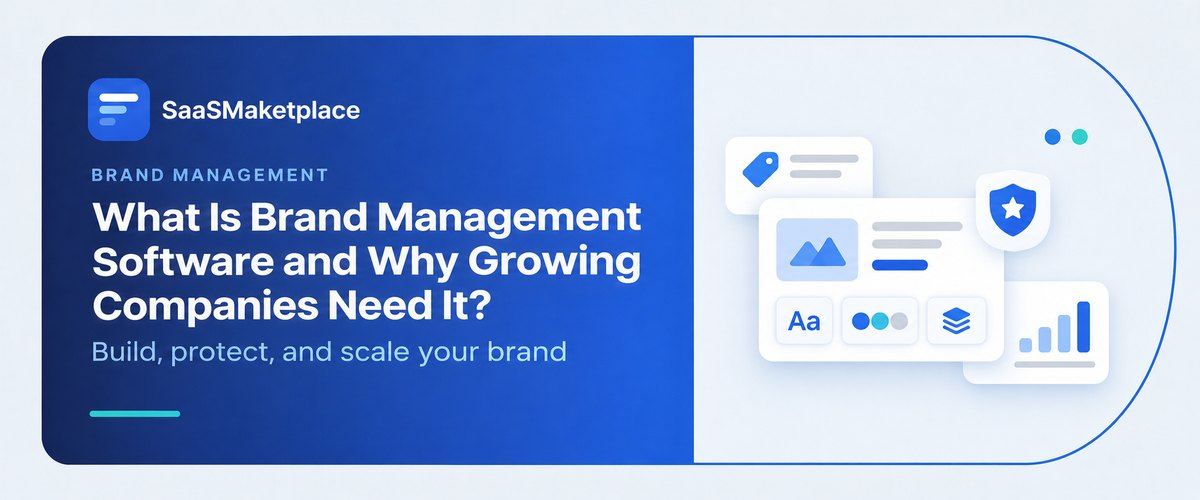
What Is Brand Management Software and Why Growing Companies Need It?
-min.jpg)
A franchiser asks to create some flyers this Friday. She finds the logo in the slide deck that was emailed to her and uses that one. The 2019 logo is the one with the colors that have been replaced since two years and a tagline that no longer exists, but it seems that no one at the corporate office noticed it before printing flyers. Such problems could have been avoided with brand management software.
It serves as a repository of brand assets, featuring galleries of approved logos, guidelines documents, and downloadable files, and a workflow for reviewing and approving new materials before release. This article will discuss the software’s key features, describe how it differs from asset libraries and design software, explain its place in the marketing technology stack, and identify scenarios in which a growing business will benefit from it.
What Is Brand Management Software?
Brand management software is a collaborative platform that helps organizations deal with brands. Such solutions help to organize information about brand assets, brand guidelines, editable files, and brand approval processes so that all employees, agencies, and franchisors create content that meets the company’s requirements.
Brand management software usually includes several features, such as a digital asset management system, brand guidelines, templates, and proofing tools. In addition, while some products offer a complete range of asset management solutions, another focuses on brand-specific tools, which is why companies may have different definitions of the term ‘brand management software’.
Why Growing Companies Hit a Brand Consistency Wall
Small teams rarely have a brand coherence problem. Three people work in the same office, the founder reviews every asset, and the brand only exists on the minds of a few people. It's consistent by default.
Growth breaks this happy scenario, and new hires, regional offices, agencies, resellers, and freelance contractors all create content their way and, more often than not, on the go. The document, if any, that acts as the source of truth, is a PDF that only the marketing team opens and shares on an approval channel. New versions of the guidelines hardly ever ship with a company-wide communication, and individual approvers only see their content that has been sent directly to them.
Slow perception creep, general impression of brand quality gets away, colors off, claims outdated, fonts wrong, copy voice non-uniform, and overall customer experience suffers because it has to rely on fragmented information. This is when companies realize that their brand coherence was based on an implicit assumption only, which does not scale.
How Brand Management Software Works
Living Brand Guidelines
Instead of a static PDF, guidelines live online, often right next to the assets they describe. A user reading the logo rules can download the correct file from the same page. Updates apply immediately, so people don't work from an old version.
Centralized Asset Library
The platform stores logos, images, videos, fonts, and documents with tags, permissions, and version history. Search helps staff find the right file quickly, and access rules control who can download or edit. This overlaps with digital asset management, which we'll compare below.
Templates With Guardrails
Templates are where brand management often differs from plain storage. Designers build layouts for flyers, social posts, presentations, or sales sheets and lock the elements that must not change, such as the logo position and fonts. Employees edit only permitted fields, like names, dates, and local offers.
Approval Workflows
Materials that need review route to the right approver, with comments and a recorded decision. Teams in regulated industries, such as financial services or healthcare, often require this audit trail so they can show who approved a claim and when.
Reporting
Usage reports show which assets get downloaded, which templates get used, and which files nobody touches. That helps brand teams decide what to update, retire, or promote.
Brand Management vs. DAM vs. Design Tools
|
Factor |
Digital asset management |
Brand management |
Design tools |
|
Main purpose |
Store and organize any digital file |
Keep brand use consistent across teams |
Create visuals |
|
Guidelines |
Often limited or separate |
Built in and linked to assets |
Usually absent |
|
Templates |
Sometimes |
Central feature, with locked elements |
Core feature, fewer controls |
|
Approvals |
Varies |
Built in |
Limited |
|
Best for |
Large, varied media libraries |
Many contributors needing consistency |
Individual designers |
Who Needs It, and When
- Small businesses: A team of five can often manage with a shared drive, a one-page style guide, and a design tool with saved brand colors. The tipping point is usually when outside parties start creating materials.
- Mid-sized companie:. Several departments, regional offices, and agencies make brand control a recurring problem. This is where brand management software often earns its cost.
- Enterprises and franchise networks: Dozens or hundreds of locations producing local marketing need templates and governance, not just storage. Multi-brand organizations also need separate guidelines and permissions per brand.
A Quick Scenario
Consider a hypothetical home-services company with 25 locations in several states. Each location orders its own door hangers, truck wraps, and local ads. Corporate marketing gets requests all week, and quality varies.
With a brand platform, corporate publishes approved templates for door hangers and ads, locks the logo and legal text, and lets local managers fill in phone numbers and service areas. Anything outside the template goes through approval. The company still needs designers, but they spend less time fixing local materials and more on new campaigns.
What's Changing: AI and Brand Governance
Some points here are established. Centralized guidelines, templates, and approval workflows are mature features, and most serious platforms offer them.
Others are emerging. AI marketing tools now generate copy and images quickly, which raises a governance question: how do you keep AI-generated content on-brand? Vendors are adding features such as automated checks against guidelines, AI-assisted tagging, and brand-aware generation. How well these work varies, and practices are still forming.
The sensible approach for 2026 is to treat AI as a volume tool that increases the need for guardrails. Faster production means more material to review, which makes clear guidelines and approval paths more valuable, not less.
Features Worth Evaluating
- Guideline usability: Check whether guidelines are easy to read, search, and keep current.
- Template controls:Look at how finely you can lock elements while leaving fields editable, and whether non-designers can use the editor without training.
- Approval flexibility: Confirm you can set different review paths by content type, region, or risk level.
- Integrations: Look for connections to design software, content management, and your marketing tools.
- Permissions and external access: Agencies and franchisees often need limited, time-bound access.
- Reporting: Usage data should show what's being used and where compliance gaps remain.
How to Tell Whether It's Working
Set a baseline before rollout and track a few measures for a quarter. Useful ones include how many off-brand requests reach the brand team, how long approvals take, what share of materials start from approved templates, and how long staff spend searching for files. Be careful about tying brand consistency directly to revenue. Many things affect revenue, so treat any vendor claim about financial lift with caution and rely on operational measures you can observe yourself.
Common Mistakes Teams Make
- Treating software as the strategy: A tool can enforce a brand, not define one. If positioning, voice, and visual rules are unclear, fix that first.
- Rolling out guidelines without templates: Rules alone rarely change behavior. Templates make the right way the easy way.
- Locking everything down: Over-restrictive templates push people back to personal files and workarounds.
- Skipping ownership: Someone must maintain guidelines, retire old assets, and approve new templates.
- Disconnecting planning from brand tool:. If marketing planning software and the brand system don't share campaign details, template requests arrive at the last minute. Linking the two lets teams order assets early.
- Ignoring local needs: Regional and franchise teams need flexibility within limits, or they'll build their own materials.
When You May Not Need Brand Management Software
If a company has a small team, few outside contributors, and a simple brand, a shared drive plus a clear style guide and saved templates in a design tool may be enough. Organizations that rarely publish materials through multiple hands won't gain much. And if an all in one marketing platform or existing asset system already covers guidelines and templates at your scale, another subscription may add only overhead.
Conclusion
Proposal software makes sense when a team has seen enough proposals that the assembly, approvals, and follow-up have become a bottleneck. It won't make buyers make decisions sooner, but it will save time on the seller's side not chasing down prospects, and gives valuable insight into their process. Before adopting, analyze how long proposals currently take, and which tools integrate with your CRM, then test it with some actual proposals and measure the results. Have a small team trial it before wider adoption.
FAQ's
It is a platform that stores brand guidelines, approved assets, and templates, and routes materials through approval, so teams produce consistent, on-brand content.
DAM focuses on storing and organizing files. Brand management adds guidelines, locked templates, and approval workflows aimed at consistency, though the two overlap.
Usually when regional teams, agencies, or franchisees start producing materials and brand drift appears. A few contributors can often manage without it.
Many platforms integrate with marketing automation software and social media marketing software so campaigns and posts use approved assets. Confirm supported integrations before buying.
Some can. Linking asset usage to marketing analytics software, marketing attribution software, or business intelligence software shows which creative supports results, though it takes integration effort.