What Is Digital Asset Management Software and How Does It Organize Creative Files?
-min.jpg)
A regional retailer has a campaign launch at the beginning of spring. The marketing team decides to use the photo of last year’s product that has already been approved for use. Two files that look almost identical to the graphic designer are in the designer’s folder. However, he cannot tell which file was approved, and the company ends up reprinting the catalog and sending a disappointed email to the brand team. Digital asset management software helps to avoid such mishaps.
The software allows storing graphic assets in one place, governing access to them, tagging and searching for files, and keeping track of changes made to each asset. This article will tell you how digital asset management (DAM) works, what its main features are, how it differs from cloud storage, where it fits into the marketing tech stack, and if it is worth investing in one for a small team. Furthermore, the article will disclose common mistakes in using DAM and answer the most frequent questions when choosing a DAM vendor. All examples are taken from the US market perspective, and the audience of this article is marketing automation managed and marketers who want to find out what goes into choosing a DAM solution.
What Is Digital Asset Management Software?
Digital asset management (DAM) software is where companies store their digital files to manage them from one place. Technically speaking, the main difference between cloud storage and digital asset management is the presence of additional features in the latter, providing the ability to reach the required files easily and use them with specific features and statuses.
The term asset implies a particular category of files that possess additional features and require special processing. An asset is a media or document with a defined value and set ofpermissions, indicating the particular owner, usage location, and expiration date. In this manner, products such as product photos, logos, stock images, training videos, and campaign designs serve as digital assets.
The need for a digital asset management system emerges when organizations reach a certain level of content complexity. At this stage, having an extended library of files, losing track of the different versions' locations and the current status poses a significant risk. In such cases, a digital asset management system helps to find the latest version of any asset in seconds.
How DAM Software Organizes Creative Files
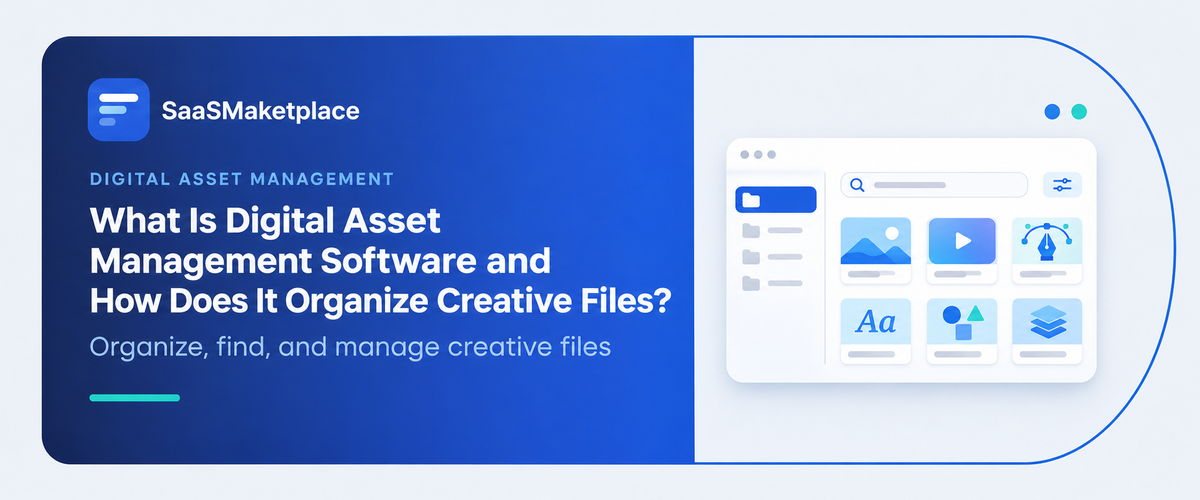
Short answer: it replaces folder hierarchies with metadata. Instead of burying a file in a path that only its creator understands, a DAM labels it with attributes like campaign, product line, region, file type, usage rights, and approval status. Users then search or filter by those attributes to find what they need.
Metadata and Taxonomy
Folders force a file into one location. A photo of a blue running shoe could live under "Footwear," "Spring Campaign," or "Social," and in a folder system someone has to choose. With metadata, the same file carries all of those labels at once and shows up in every relevant search.
The structure behind those labels is called a taxonomy: an agreed vocabulary of tags and fields. Teams that skip this step end up with dozens of near-duplicate tags and unreliable search.
Search and AI Tagging
Manual tagging is tedious, so many platforms apply labels automatically. AI tagging can recognize objects, text, scenes, and faces in an image, and some systems support visual search, where you find similar images by example. This is now a common capability, and it saves time at scale. It works best when paired with a consistent taxonomy, since automatic tags still depend on the quality of the metadata and policies you set.
Version Control
A DAM keeps one current version of an asset and stores the history behind it. Designers upload a revision, and the old file remains retrievable without anyone renaming things like "logo_final_FINAL." Anyone downloading the asset gets the approved version by default.
Permissions and Usage Rights
Role-based permissions decide who can view, download, edit, or share each file. External partners, such as agencies and franchisees, can often get limited access through shared portals. Rights tracking records license terms and expiration dates, so a stock photo with a one-year license doesn't quietly stay in circulation for three.
DAM vs. Cloud Storage and Related Systems
|
Factor |
Shared cloud drive |
DAM software |
|
Organization |
Folders and filenames |
Metadata, taxonomy, and collections |
|
Search |
Mostly by filename |
By attributes, tags, and often visual similarity |
|
Versions |
Manual naming habits |
Tracked history with one current version |
|
Permissions |
Basic folder sharing |
Role-based access and rights management |
|
Brand governance |
None built in |
Approved asset libraries and portals |
|
Best for |
Small teams, modest libraries |
Growing creative and marketing operations |
Who Needs DAM Software?
- Small businesses: A team of five with a few thousand files may be fine with a well-organized shared drive and naming rules. The tipping point is usually when people start asking "which is the latest version?" more than once a week.
- Mid-sized companies: Multiple designers, agencies, and regional teams create more assets than any one person can track. Here DAM often pays off through reduced search time, fewer duplicates, and cleaner brand consistency.
- Enterprises: Large organizations face rights management, approval chains, multiple brands, and regional variants. Governance and integrations matter more than raw storage.
A Quick Scenario
Consider a hypothetical restaurant chain with 60 franchise locations. Franchisees regularly request logos, menu photos, and promotional templates. Corporate marketing sends them by email, and locations sometimes use outdated menus.
With a DAM, corporate uploads approved materials once. Franchisees log in, search by campaign or location type, and download current files. Expired promotions are archived automatically. The change isn't more creativity. It's fewer wrong files in the wild and fewer requests landing in the marketing team's inbox.
Features Worth Evaluating
- Search quality: Test it with real queries from your team, not the vendor's demo files.
- Metadata flexibility: Confirm you can create custom fields that match how your team works.
- AI features: Ask what automatic tagging recognizes and how accurate it is on your type of content.
- Integrations: Look for connections to design tools, content management systems, and your project and marketing platforms.
- Rights management: Check whether license dates trigger alerts or restrictions.
- Analytics: Usage reports show which assets earn their place in the library.
What's Changing: AI and Governance
Automatic tagging is now well established. Newer developments are still emerging and deserve caution. Some platforms offer AI-generated content and alt text, content recommendations, and automatic resizing. As teams create images with generative AI tools, questions arise about labeling those assets, tracking their origin, and applying usage rules. Vendors approach this differently, and practices are still forming.
The practical takeaway is that AI helps with volume but doesn't replace governance. Tagging quality still depends on consistent metadata and clear policies.
Common Mistakes Teams Make
- Uploading everything: Migrating years of unorganized files recreates the mess in a new place. Archive or delete first.
- Skipping the taxonomy: Without agreed tags and fields, search quality degrades quickly.
- No owner: Someone needs to manage the library, approve new tags, and retire old assets.
- Over-restricting access: If staff can't easily find or download assets, they'll go back to personal folders.
- Ignoring integrations: A DAM disconnected from design and publishing tools becomes one more place to upload files.
When You May Not Need DAM Software
A small team with a modest library, one or two designers, and few outside partners may do well with a shared drive and consistent naming. If creative files rarely get reused, there's little to organize. And if a project management or all in one marketing platform already stores approved assets well enough for your volume, adding another system may only add overhead.
Conclusion
Digital asset management software earns its place when finding, approving, and governing creative files has become a daily friction. It organizes by metadata, tracks versions, and controls access, but it works only when someone owns the taxonomy and the library stays curated. Before buying, audit your current files, define the tags your team will use, and check how a tool connects to your design and marketing systems. Pilot with one team first, then expand once people are using it on their own.
FAQ's
It is a centralized system for storing, organizing, and sharing digital files with metadata, version control, and permissions, so teams can find the approved version quickly.
It labels each file with metadata, such as campaign, product, and usage rights, then lets users search and filter by those attributes instead of browsing folders.
No. Cloud storage holds files, while a DAM adds tagging, version history, rights management, and brand governance. Small teams may not need that.
Many platforms integrate with project management software, so approved deliverables flow into the asset library when tasks close. Check which tools a vendor supports.
Marketing automation software can pull approved assets for campaigns, and business intelligence software or marketing analytics software can use usage data to show which assets perform and which go unused.