What Is Route Planning Software and How Does It Cut Delivery Costs?
-min.jpg)
A dispatcher with twelve drivers and ninety stops can design a decent plan on a whiteboard. Add delivery windows, vehicle capacity, one driver calling in sick, one customer changing the address at noon, and the whiteboard gets tossed out. Route planning software tackles that puzzle. It lays out the stops in the most efficient sequences and vehicles, then makes new sequences when conditions change. It all shaves time, miles, and fuel off every shift. This article looks at how the software works, where the fuel savings come from, how it fits in with other fleet and supply chain tools, and when a small operation can get by without one. It also takes a close look at the common pitfalls and what to watch for in any purchase, with a realistic perspective on the limitations of the technology.
What Route Planning Software Does
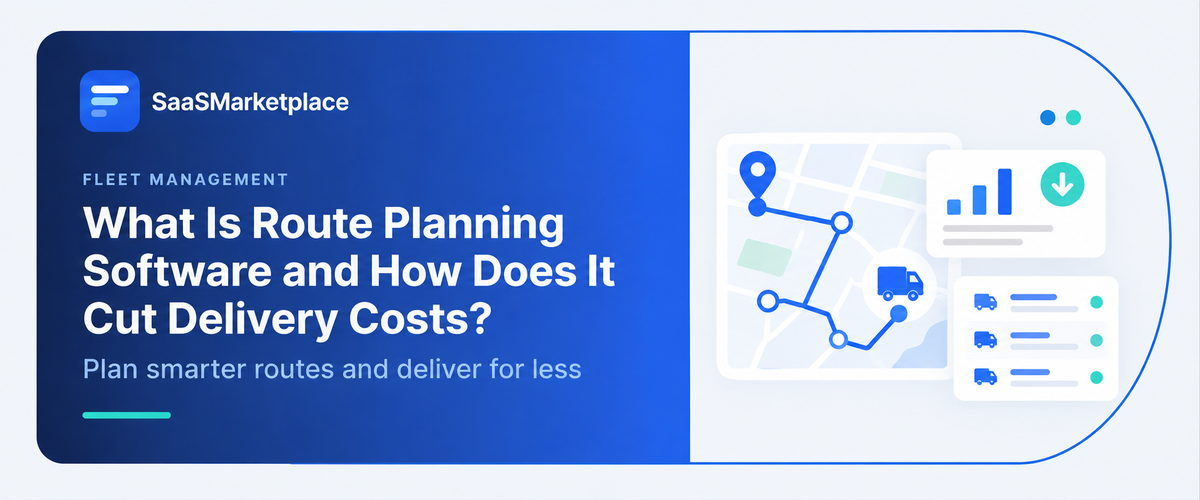
At its most basic level, route planning software solves the following problem: given these destinations and vehicles, what is the most efficient way to get everything delivered? It takes in a list of addresses, determines the optimal delivery route for each driver, and sends the route to a mobile app.
It's also helpful to separate planning and navigation. Your phone's mapping app can tell you information to a mobile app.
This is not as simple a task as it seems. Even ten stops can be arranged in over 3 million ways, and that doesn't account for things like customer-specified delivery windows or vehicle restrictions. Some customers may require delivery between 1 and 3 p.m., while a refrigerated truck may have a set of items it can't carry. A driver can't drive for more than the allowed amount of time. Software can handle all these restraints at once, while a human finds the fastest way from one place to another, but route planning software decides what places need to be visited and when, before navigation begins.
How Route Planning Software Works
Inputs the System Needs
Quality in, quality out. The software needs stop addresses, time windows, service durations, vehicle capacity, driver shifts, and starting locations. Many teams import orders from a spreadsheet or an order system. Clean address data matters more than people expect, since a mis-geocoded address can send a driver to the wrong side of town.
The Optimization Engine
Behind the screen sits an algorithm for what researchers call the vehicle routing problem. It evaluates enormous numbers of possible combinations, scoring each by cost measures such as total distance, drive time, and lateness penalties. No algorithm checks every possibility, so engines use heuristics that find strong, though not always mathematically perfect, answers quickly. For a dispatcher, the practical outcome is a plan in seconds instead of hours.
Dispatch and Live Updates
Once routes are set, drivers receive them on a phone or tablet. They can mark stops complete, capture proof of delivery, and note problems. Better systems recalculate during the day, factoring in traffic, new orders, or a missed stop, and notify customers with updated arrival estimates.
Route Planning, Fleet Management, and Navigation Compared
|
Tool |
What it answers |
Typical user |
|
Navigation app |
What's the best path from A to B right now? |
Individual driver |
|
Route planning software |
Which stops go on which vehicle, and in what order? |
Dispatcher or logistics manager |
|
Fleet management software |
Where are my vehicles, and what shape are they in? |
Fleet or operations manager |
How It Fits With Other Business Software
- Fleet management software supplies vehicle location, maintenance status, and driver hours. When the two connect, planners avoid assigning stops to a truck that's due for service or a driver near their legal limit.
- Supply chain management software covers the wider flow of goods, from suppliers to warehouses to customers. Route planning is the last-mile or middle-mile piece of that picture, and it needs accurate order and shipment data from upstream.
- ERP software integrates finance, orders, purchasing, and inventory in one system. Distribution ERP software is built for wholesalers and distributors who manage large catalogs, multiple warehouses, and customer-specific pricing. Orders typically originate there, so a route planner that imports from the ERP saves dispatchers from retyping.
- Inventory management software tells you what's in stock and where. Connecting it to routing prevents a driver from leaving with an incomplete load, and lets planners group deliveries by what's actually available.
- Retail POS software and general POS software record sales, and for retailers offering local delivery, they capture the order and address. Passing those orders to a route planner lets a store schedule deliveries without separate data entry.
- Trucking payroll software calculates driver pay, which may depend on miles, loads, stops, or detention time. Reliable trip data from routing and dispatch reduces disputes, since pay calculations can draw on the same records rather than driver memory.
Features Worth Evaluating
- Constraint handling: Check that the tool supports your real rules: time windows, vehicle capacity, skills or equipment requirements, driver breaks, and multiple depots.
- Dynamic re-routing: Some tools only plan once in the morning. Others adjust during the day. The right choice depends on how often your day changes.
- Proof of delivery: Photos, signatures, and timestamps resolve disputes and speed up invoicing.
- Customer notifications: Automated arrival windows by text or email cut down on "where's my delivery" calls.
- Reporting: Planned versus actual miles, stop times, and on-time rates show whether the savings are real.

Pro-tip
Compare planned routes against actual driver paths for a month. A large gap often points to bad address data or unrealistic service times, not to a faulty algorithm.
A Quick Scenario
Consider a hypothetical hardware retailer that offers next-day delivery to contractors from three stores. Orders come in through its retail POS software, and each morning a dispatcher spends roughly two hours sorting them into routes by hand, relying on memory of which neighborhoods sit close together. With a route planner pulling the day's orders directly, the same task becomes a review of a plan that's already built. The dispatcher's time goes to exceptions: a customer who needs a morning slot, or a heavy order that requires the liftgate truck. The gain here is mostly planning time and fewer backtracking trips. Those are real but modest, and the numbers will differ for every business.
Common Mistakes Teams Make
- Feeding it poor data: Wrong addresses and guessed service times undermine even a strong optimizer. Audit your top customer addresses first.
- Ignoring driver knowledge: Drivers know which loading dock is locked after 3 p.m. Let them flag issues and feed those notes back into the system, or they'll quietly ignore the plan.
- Expecting savings from day one: Settings need tuning, and the first weeks usually expose data problems.
- Over-optimizing for distance alone: The shortest route isn't always the cheapest. Time windows, traffic, and service time matter just as much.
- Skipping a baseline: Without measuring miles, hours, and fuel before rollout, you can't tell what changed.
When Route Planning Software May Not Be Worth It
A business with two vans and fixed weekly routes may do fine with a map app and a spreadsheet. Companies whose stops are few, regular, and close together gain little from optimization. The same goes for operations where the route is dictated by customers, such as scheduled service calls with fixed appointment times, unless the software also handles scheduling.
Conclusion
Route planning software cuts delivery costs by reducing miles, idle time, overtime, and failed deliveries, but only when the underlying data is clean and drivers trust the plan. The savings tend to come from steady, repeated improvements rather than a single dramatic change.
Before buying, measure your current miles, hours, and fuel per stop, then test any shortlisted tool against a real week of orders. If your orders already live in an ERP or POS system, check how easily they connect. Start with one depot or one group of drivers, and expand once the results are clear.
FAQ's
Its software that decides which stops each vehicle should make and in what order, taking into account time windows, vehicle capacity, and driver hours.
By cutting unnecessary miles and idle time, lowering overtime, reducing failed deliveries, and saving dispatchers' planning time. Results vary with fleet size, route density, and data quality.
No. Route planning builds the plan, while fleet management software tracks vehicles, maintenance, and driver activity as the plan is carried out. Some products include both.
Many tools integrate with ERP systems and inventory management software, either through built-in connectors or APIs, so orders and stock data flow in automatically. Confirm which systems a vendor supports.
Some do. Retailers can pass delivery orders from POS software into a route planner, and trip records can support trucking payroll software calculations, though this usually requires integration work.