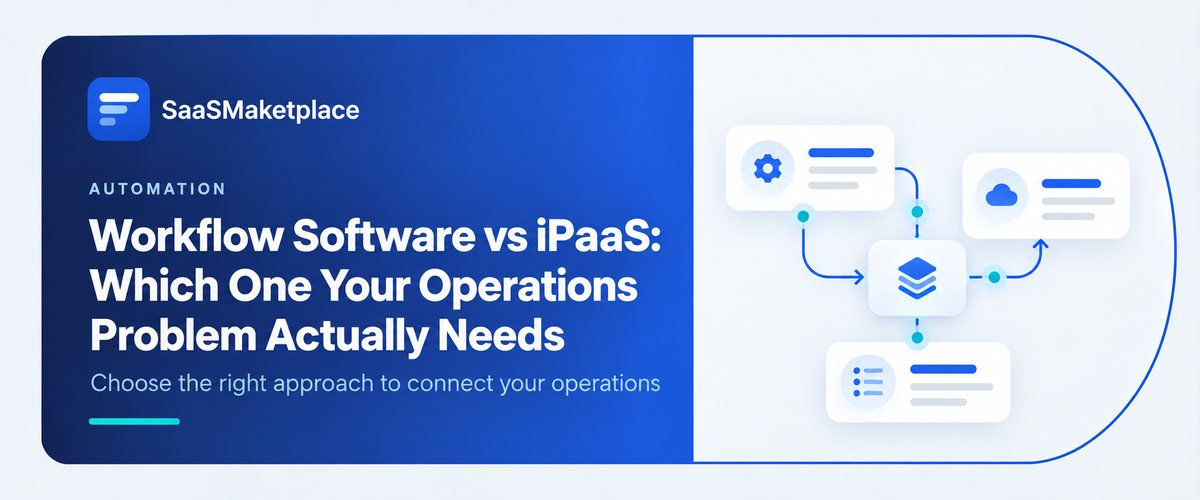
Workflow Software vs iPaaS: Which One Your Operations Problem Actually Needs
-min.jpg)
It is fundamentally important to improve operational efficiency in the U.S. by addressing two major issues: challenges in coordinating human efforts and the existence of technical data silos. Although Workflow Automation and Integration Platform as a Service are based on the same principle aimed at improving performance, their overall purpose differs. This is because Workflow Automation Software caters to those automated tasks and activities that exist on a human level of operations, while Integration Platform as a Service unifies tasks, systems, and application program interfaces (APIs). The solution to the problems must be defined as per the nature of the bottleneck event, which may be associated with either the delays created by humans or isolated systems.
What is Workflow Software, and how does it help US Businesses?
A Workflow Application is an online system that helps design, automate, and manage any business process. Instead of going through confusing email exchanges, sticky notes, or countless messages in Slack for managing one’s workflow, the application does the work itself by performing necessary functions automatically: assignments are given and approved, and new information is sent out. These applications digitize human work processes onboarding, invoice processing, and other administrative tasks providing employees with clear instructions.
For US firms facing increased costs for hiring and retaining workers along with strong competition in the market, workflow solutions are becoming a critical tool for optimizing their operations. By automating routine benefits administration tasks, American businesses eliminate mistakes, shorten lead time, and increase productivity among their employees. In addition, in regulated industries such as healthcare, finance, and others, there are also clear audit trails and strictly standardized procedures maintained by the software.
Do you know?
American office workers are estimated to waste 2 to 3 hours every day searching for information, waiting for manual approvals, checking status updates in various tools, etc. The majority of the time is spent on what is called work about work instead of being productive. The adoption of workflow software can replace manual or unnecessary activities and help reduce cycle times by up to 70% and save hundreds of hours for companies and employees each year.
Is your Operations problem a Workflow issue or an Integration Issue?
- Waiting for Approvals: The workflow may stop too often pending approval by managers, legal professionals, or the finance department.
- Ambiguous Ownership of Task: Employees might ask themselves, Who is responsible for completing this task? and subsequently cannot achieve results on time since there may not be anyone responsible for completing the task.
- Time-Consuming Data Entry: Staff wastes effort filling in forms in full manual mode and recording requests and updates.
- Poor Process Transparency: Management does not understand the current status of a project in process and has to consult many people and view many spreadsheets to learn this.
- Moving Data From One Application to Another: The staff is required to spend a lot of time duplicating personal contact and other customer data from one SaaS solution into another.
- Inconsistent Data: Different departments might not have the same information because the systems they use might not be compatible.
- Disparate Systems: You have to rely on manually created scripts or importing/exporting of the CSV file to extract the information from one system.
- Limited Access to Data: Various business dashboards are updated at least once a day or week, as system data does not move in time.
What is iPaaS, and how does it Connect your Business Apps?
- Integration via API: Substitutes one-by-one tailored codes. iPaaS technology is utilizing ready-made connectors along with webhooks in order to connect directly with APIs of different platforms.
- Data Alteration: Guarantees compatibility between different systems. There may be different formats of data (for instance, there may be the “First Name + Last Name” format in one software and Full Name format in another software); this allows iPaaS to map and alter the data fields.
- Triggers of events and real-time synchronization: Provide no delay. When an event happens in one system, such as a closed deal with a customer on the CRM side, iPaaS immediately notices it and passes updated data on the customer or invoice to other software such as ERP or warehouse solutions.
- Error management and monitoring: Implies no data loss. In case of a limit for API usage or network failure, iPaaS records the error and then attempts to transmit the data again, as well as notify system administrators about the error without interruptions in the business process.
What are the key differences between Workflow Software and iPaaS?
The main difference is in the fact that workflow software relates to processes involving people and what they do to carry out the workflow and the rights they have to make it happen, and iPaaS, which might be either cloud-based or installed on-premises, involves automation and data transfer features.
- It is important that while workflow: Processes start with the first piece of human activity (for example, completing an application, performance management a task, or approving a request), iPaaS gets activated based on the technical processes of the system (like API webhooks, changes in the database, or scheduled jobs).
- The target audience of workflow software: includes people who are not very technical (like operational managers and business owners), while the target market for iPaaS is broader and covers IT professionals.
- What Happens To Data: Workflow software deals with the state of the process, who did what, when, and how, while iPaaS is concerned with data processing.
- The Problem Solved: Workflow software responds to the problems with stalled processes and ambiguity about who did what, while iPaaS solves the problems with data congestion and information discrepancies in SaaS applications.
Integration Level: Workflow application is all about using light integration to notify users about their actions, while iPaaS performs deep integrations.
When should your team choose Workflow Software?
- Delays in Approval Processes: Significant delays are sometimes observed in project advancement whenever approvals from managers, the finance team, or the legal department are awaited.
- Undefined Task Ownership: Team members frequently find themselves in situations where they aren’t sure who is responsible for completing a certain task.
- Transparency Issues: It is usually difficult for management to know what’s happening with requests as regular updates are seldom available unless one asks around.
- Inconsistent Processes: Different employees tend to accomplish the same tasks in different ways, which leads to problems concerning quality control.
- Decision Making in Processes: The outcome of processes relies on human decisions and the interpretation of facts.
- Burden of Administration Follow-Up: People in operations departments spend a lot of their precious time making press inquiries about the progress of work.
- Importance of Audit Trail: The auditing process implies the need to track the progress of work.
When is iPaaS the Better Choice for your Business?
- Resources Are Wasted for Simple Archive Transfers: Manual transfer of data is done for various purposes involving the use of several systems.
- The System Generates Conflicting Information: Different departments can receive conflicting information from some programs due to their programming methods that do not allow them to update their data automatically.
- CSV Export is Required: To move data, there is either a need to download the resulting spreadsheet first or use APIs that often get broken.
- Real-Time Data Sync is a Must: Making business decisions requires immediate real-time integration wherein prompt syncing is done without waiting for batch processing.
- Fast Growth of Your SaaS Technology: You frequently need to add new software applications and therefore require a continuous integration interface that connects those applications without the need for custom integrations.
- High Volumes of Transactions with Enterprise Security is Mandatory: You transfer sensitive data and therefore need well-managed API rate limiting, error logging, and automated retries.
- Infighting Must Stop: IT needs a single interface to be able to analyze, manage, protect, and govern all integrations of systems from one dashboard.

Pro-tip
Before committing to either of the technologies, assess your company through its operational bottlenecks to ascertain whether a delay is due to a human factor or a system factor: in case of a standstill since employees are awaiting approvals, implement workflow software first, while if employees have to manually enter data from one application to another, initiate an iPaaS integration to tackle data silos. For optimum returns, companies ideally need to implement a hybrid approach with iPaaS being viewed as a silent engine automatically transferring information from one platform to another, whereas workflow software will serve as a user-friendly interface, enabling operational teams to take advantage of the data produced seamlessly.
Conclusion
Should you choose between using iPaaS and workflow software, focus on identifying the cause of any friction in operations: if the issues originate from a halt in human approvals, your company will need workflow solutions; and if the challenge derives from the system, the implementation of iPaaS will allow for streamlining data exchange processes.
FAQ's
Workflow software manages human tasks and approvals, whereas iPaaS automates data integration and syncs between software systems.
Yes, operations frequently use iPaaS to sync background data across systems while workflow software handles human task management.
They function primarily as lightweight iPaaS solutions when their main job is transferring data across application APIs via automated triggers.
Workflow software is managed directly by business operations teams, while iPaaS requires management by IT engineers or system architects.
It is a workflow issue if work waits on human approvals, and an integration issue if staff manually copy-paste data between applications.