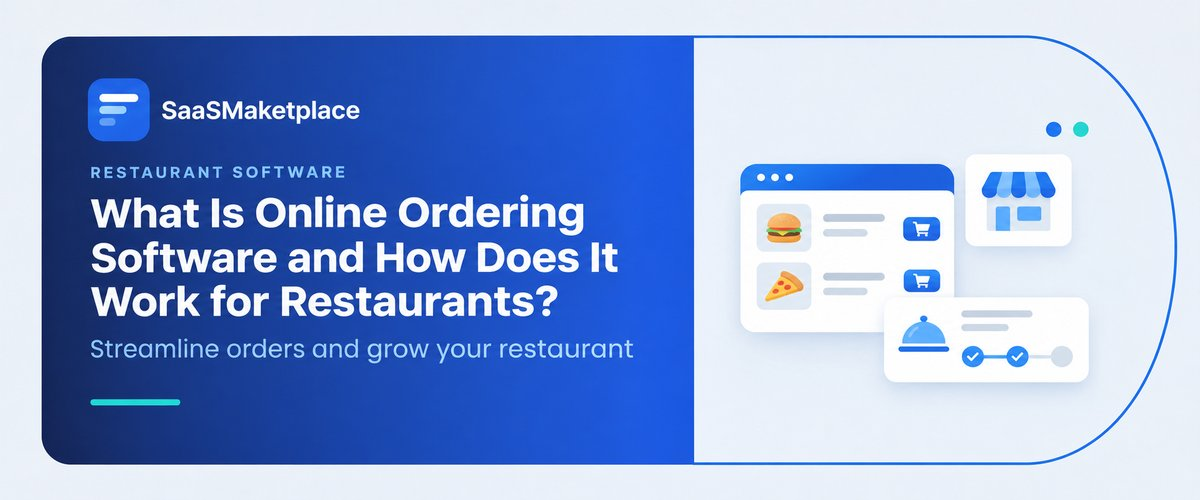
What Is Online Ordering Software and How Does It Work for Restaurants?
-min.jpg)
A restaurant owner adds a QR code to the front counter, and within a week the phone stops ringing, and tickets start piling up from three different tablets. Orders are coming in, but nobody planned for how they reach the kitchen. That gap is exactly what online ordering software is meant to close. At its simplest, it lets guests place and pay for pickup or delivery orders through a restaurant's own website or app. How well it works depends on what sits behind it. This article explains what this software does, how orders move from screen to kitchen, and how it connects with the other systems a US restaurant runs on, so owners can judge what actually fits their operation.
What Is Online Ordering Software?
This type of system lets customers browse a menu, customize items, pay, and submit pickup or delivery orders digitally, while sending those orders straight to the restaurant's kitchen or register. It replaces phone orders and manual re-entry, which cuts errors and frees staff during busy periods.
Demand explains the adoption. Guests now expect to order pickup without calling, and a missed call is a lost order. For restaurants with thin labor budgets, digital orders also remove the need for someone to stand at the phone during the dinner rush, and written tickets reduce misheard items.
Restaurants usually run it in one of two ways. Some use a module built into their POS provider. Others subscribe to a standalone ordering platform and connect it to the register. Both can work. The built-in route tends to be simpler to maintain, while standalone platforms often offer stronger marketing and loyalty features. Either way, the customer sees a branded page or app, and the restaurant keeps the order and customer data instead of handing it to a marketplace.
How Online Ordering Works Behind the Scenes
From the guest's side, an order takes about a minute. Behind that minute, several steps happen in sequence:
- Menu sync. The platform pulls items, modifiers, prices, and availability from the restaurant's menu, so a sold-out dish disappears from the page.
- Order capture. The guest selects items, adds modifiers such as no onions, chooses pickup or delivery, and picks a time.
- Payment. The platform collects payment through a payment gateway and calculates tax and tip.
- Routing. The order reaches the kitchen by printer or kitchen display system (KDS), ideally through the register so it is rung in alongside in-store sales.
- Fulfillment. Staff prepare the order. Delivery orders pass to in-house drivers or a delivery partner.
- Reporting. Sales, item mix, and customer records update in the restaurant's reports.
The routing step is where most problems appear. If the ordering platform and the register are not integrated, staff re-key orders by hand, and mistakes follow. Integration quality, more than the ordering page itself, usually decides whether the system saves time or creates extra work.
Own Ordering Channel vs. Third-Party Marketplaces
Many US restaurants already take orders through marketplaces such as DoorDash, Uber Eats, and Grubhub. Those apps bring discovery, but they charge commissions and keep most of the customer relationship. A restaurant's own ordering channel flips that trade-off. Per-order costs are usually lower and the customer data belongs to the restaurant, but the restaurant has to bring its own traffic. Loyalty programs, promo codes, and email capture are the tools that usually help move guests to the direct channel.
|
Factor |
Own Ordering Channel |
Third-Party Marketplace |
|
Customer data |
Owned by the restaurant |
Mostly held by the platform |
|
Fees |
Subscription or per-order fee plus card processing |
Commission per order, plus other charges |
|
Discovery |
Depends on the restaurant's own marketing |
Built-in audience |
|
Delivery |
Own drivers or a delivery partner |
Platform courier network |
|
Branding |
Full control |
Limited |
How It Connects With Other Restaurant Software
Restaurant POS Software
Restaurant POS software is the system at the register that rings up sales, manages tables, and routes tickets to the kitchen. It is the hub most ordering platforms connect to. Choosing restaurant POS software with open integrations, or one that includes native ordering, avoids duplicate entry. A contract with the POS provider can also limit which ordering tools are allowed, so check before committing. General point of sale software built for retail rarely handles modifiers, courses, or kitchen routing well, which is why restaurant-specific products dominate this category.
Order Management Software
Order management software tracks each order from the moment it is placed until it is fulfilled, regardless of channel. For restaurants with several channels such as dine-in, phone, website, and marketplaces, it consolidates tickets into one queue so the kitchen is not watching five tablets. Smaller restaurants often get this function inside their register system. Multi-location operators and ghost kitchens are more likely to need a dedicated order management software layer to manage throttling, prep times, and menu availability across channels.
Restaurant Billing Software
Restaurant billing software generates the check: itemized charges, taxes, discounts, tips, and split payments. In most restaurants, it is a function of the POS software rather than a separate purchase, but some operators use dedicated restaurant billing software for catering invoices or corporate accounts. For online orders, billing matters because sales tax rules differ by state and sometimes by locality, and delivery fees are treated differently across jurisdictions. Confirm how your system handles those rules rather than assuming the defaults are correct.
Restaurant Management Software
Restaurant management software is the broader category that can include inventory, scheduling, labor reporting, accounting integrations, and analytics. Online ordering feeds into it by supplying sales and item-level data. Some vendors sell the whole stack as one restaurant management software suite. Others expect operators to assemble it from separate tools. After the first few months, owners often find the reports more useful than the orders themselves, because item-level data shows which dishes sell and which only look good on the menu. A suite reduces integration work but can lock a restaurant into weaker modules.
Do You Know?
Some vendors require their own payment processor, which can change your overall processing costs even if the ordering subscription looks cheap.
When Online Ordering May Not Fit
Online ordering is not automatically a good idea for every kitchen. A full-service restaurant with long cook times and a small line may find that takeout orders slow the dining room. Menus that depend on timing or plating, such as tasting menus, rarely survive transport.
Margins matter too. Once packaging, card processing, and delivery costs are counted, some items stop making money. Restaurants that add online ordering usually need a way to limit order volume, adjust prep times, or pause the channel during rushes. Without that control, service for guests inside the restaurant tends to suffer. Staffing is another limit. A kitchen that is already short-handed may be better served by offering a small set of pickup-friendly items rather than the full menu.
How to Evaluate Options for a US Restaurant
Start with the operation, not the feature list. These questions separate workable options from risky ones:
- Integration: Does it connect to your register through a native or certified two-way integration, with menu sync and order injection?
- Fees: What are the monthly subscription, per-order fees, and card rates, and must you use the vendor's own processor?
- Data ownership: Can you export customer emails and order history if you leave?
- Operational controls: Does it offer prep-time settings, order throttling, quick item removal, and reliable modifier handling?
- Compliance: Does it support PCI DSS, handle state and local sales tax correctly, and offer an accessible ordering page?
- Support: Is help available during dinner service, not just business hours?
What changes with size is worth noting. A single-location cafe can usually rely on whatever its register vendor offers. A group of five locations needs centralized menu control so a price change is made once. Large chains typically require API access, role-based permissions, and reporting across locations.

Pro-tip
Place a test order with three modifiers and a special instruction before signing anything. Ticket formatting problems show up immediately.
Common Mistakes to Avoid
Restaurants tend to repeat a few errors. They choose an ordering platform before checking whether it integrates with the existing POS. They sign long contracts without understanding the processing terms. They leave prices and items on the online menu out of sync with the in-store menu. And they launch without limiting order volume, then discover the kitchen cannot keep up. Teams also tend to skip staff training. Even a well-integrated system fails if employees do not know who is responsible for accepting orders, adjusting prep times, and handling refunds.
Another common problem is treating point of sale software, order management tools, and payment processing software as the same thing. They overlap, but each handles a different job, and buying them separately without a plan often leads to paying twice for the same function.
Conclusion
Online ordering software works best as a connected part of restaurant operations, not a standalone website feature. Before choosing, map how an order travels from checkout to kitchen to payout, and confirm that each system in that chain, from point of sale software to payment processing, can hand off cleanly. If possible, start with one channel and one location, watch ticket accuracy and prep times for a few weeks, and expand from there.
FAQ's
It sends orders directly to the register and to kitchen printers or displays, and it syncs menu items and prices so staff do not re-enter anything.
It depends on order volume and current marketplace commissions. If most orders already come through third-party apps, a direct channel can improve margins, but only if the restaurant can drive its own traffic.
Usually not for a single location, since the register handles most of it. Multi-channel or multi-location operators may benefit from a dedicated tool.
A register system handles in-person sales and kitchen routing. Online ordering adds a customer-facing channel that feeds into it.
Yes. Many restaurants run their own ordering page and use a delivery service only for dispatch, keeping the customer relationship and data in house.